
Fastboot Flash Tool V1.0.1.2 Free Download Setup 100% Working [2027]
When an Android phone gets stuck in Fastboot mode, does not start properly, or has a firmware issue, fixing it is difficult. Fastboot Flash Tool helps users solve these problems on supported Android devices using a Windows computer. It includes features like firmware flashing, Fastboot Info, Fastboot Error Fix, Fastboot to EDL, partition management, and an Open BAT File. It also supports software repair and recovery.
What is Fastboot Flash Tool?
Fastboot Flash Tool is a Windows-based tool used to flash firmware and manage supported Android devices in Fastboot mode. This tool helps users to perform tasks such as fixing common Fastboot problems and checking device information. The tool also includes options for opening BAT and Scatter files, which can help with certain flashing tasks. It is very useful for mobile technicians who need a simple tool to solve repair software problems in one place.
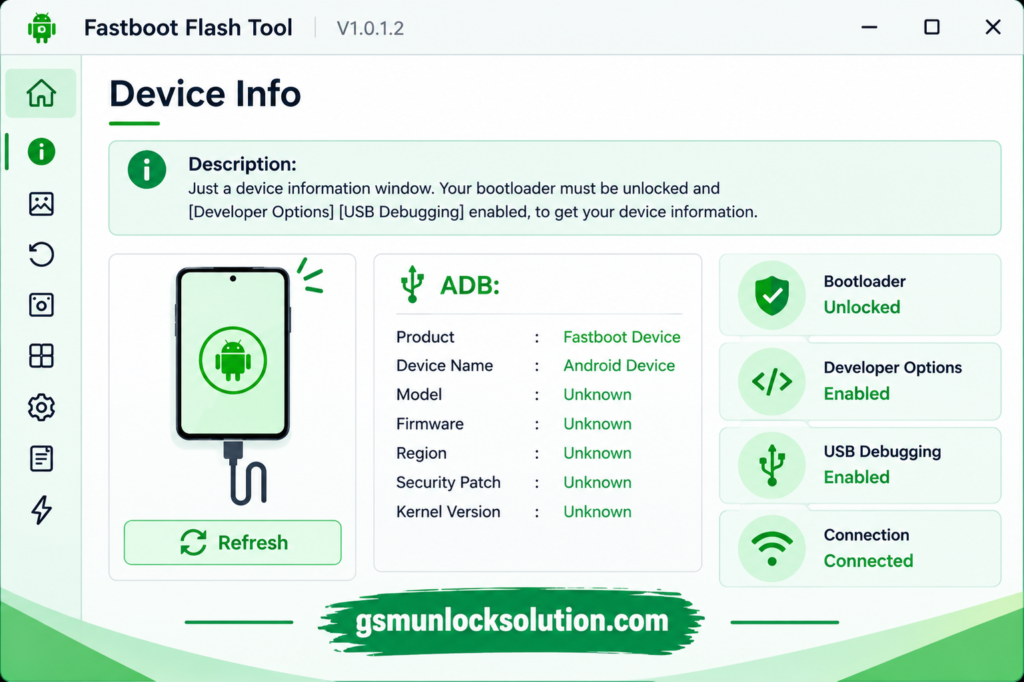
Main Functions Of Fastboot Flash Tool
Firmware Flashing
Helps install or reinstall compatible firmware on supported Android devices through Fastboot mode.
Partition Flashing
Allows users to work with specific partitions, such as boot, recovery, system, and vendor, when supported.
Fastboot Error Fix
Includes options to help troubleshoot common Fastboot-related errors during device servicing.
Fastboot to EDL
Provides an option to switch compatible Qualcomm devices from Fastboot mode to EDL mode for certain repair tasks.
BAT File Support
Allows users to open supported BAT files to run firmware flashing commands and automate certain tasks.
Scatter File Support
Supports opening Scatter files for compatible MediaTek firmware packages.
Device Information
Includes Fastboot information options to help users check details about a connected device.
Stock Firmware Installation
Helps reinstall compatible stock firmware to resolve certain software issues or restore the device’s operating system.
Simple User Interface
Provides a graphical interface that makes supported Fastboot operations easier to manage.
No Box or Dongle Required
Works through a Windows computer and a USB connection, without requiring a separate servicing box or dongle for its supported functions.
Support for Compatible Android Devices
Can work with different brands that support the required Fastboot operations. Available features depend on the device model and firmware.
What’s New in Fastboot Flash Tool
- Includes a Fastboot Error Fix option.
- Provides Fastboot to EDL support for compatible Qualcomm devices.
- Supports opening compatible BAT files.
- Includes Scatter file support for compatible firmware packages.
- Provides options for managing supported device partitions.
- Includes Fastboot information options for connected devices.
Pros and Cons
Pros
- Easy to use with a simple interface.
- Helps flash compatible Android firmware.
- Includes options to fix common Fastboot errors.
- Supports partition-related operations.
- Provides BAT file and Scatter file options.
- Supports Fastboot to EDL for compatible Qualcomm devices.
- Does not require a separate box or dongle for supported functions.
Cons
- Works only with supported devices and firmware.
- Requires a Windows computer and USB connection.
- Some features need technical knowledge.
- Incorrect firmware can cause software problems.
- Not all features work with every Android device.
- Some operations may erase user data.
System Requirements
| Requirement | Details |
| Operating System | Windows 7, 8, 10, or 11 |
| RAM | 4 GB or higher recommended |
| Processor | Intel or AMD processor |
| Storage | At least 100 MB of free space |
| USB Cable | A compatible USB cable to connect the Android device |
| USB Drivers | Required drivers for the connected device |
| Connection | A working USB port on the computer |
Download Information
| File Information | Details |
| File Version | V1.0.1.2 |
| File Size | 159.6 MB |
| File Type | Compressed ZIP / RAR |
| Extraction Tool | 7-Zip or WinRAR |
| Supported OS | All Windows (32-bit and 64-bit) |
| Virus Status | Reported as scanned by Avast Antivirus |
Looking for another useful tool: Prime Tool V9.0 Free Download Setup Latest Version [2027]
How to download the Fastboot Flash Tool?
- Visit the official website to check for the available Fastboot Flash Tool download.
- Download Fastboot Flash Tool from a trusted source.
- Extract the ZIP file using WinRAR or 7-Zip if the download is compressed.
- Open the extracted folder and look for the tool’s executable file.
- Install the required USB drivers for your Android device, if needed.
- Connect your phone to the computer with a USB cable and enter Fastboot mode.
- Run the tool and select the required option for your supported device.
Conclusion
Fastboot Flash Tool is a useful Windows application for handling common Android software and firmware tasks. It helps users flash compatible firmware, manage supported partitions, and troubleshoot Fastboot problems. The tool also includes options for BAT files, Scatter files, and Fastboot-to-EDL operations on supported devices. Its simple interface makes it useful for mobile technicians and users who have basic knowledge of Android flashing. Whether you are a beginner or an expert.
FAQ’s
What is Fastboot Flash Tool used for?
It is used for firmware flashing, partition management, checking device information, and troubleshooting common Fastboot issues.
Can Fastboot Flash Tool fix a phone stuck in Fastboot mode?
It may help with supported software and firmware problems. However, it cannot fix every issue, especially hardware-related faults.
Does Fastboot Flash Tool support MediaTek devices?
The tool includes Scatter file support for compatible MediaTek firmware packages. Actual support depends on the device and tool version.
How do I use Fastboot Flash Tool?
Download the tool from a trusted source, extract the files, install the required drivers, connect your phone in Fastboot mode, and select the appropriate supported operation.
Is Fastboot Flash Tool easy to use for beginners?
Its graphical interface can make supported operations easier, but users should understand the flashing process before changing firmware or partitions.



One Comment