
Android Fastboot Reset Tool V2.0 Free Download Setup Latest Version 2027
Android users often face problems like forgotten screen locks, Google account verification, FRP locks, or device access issues, which can make mobile servicing difficult. Android Fastboot Reset Tool by Mohit Kkc provides a lightweight Windows-based solution with ADB and Fastboot support for supported Android devices. It offers reset operations, data wiping, device detection, reboot functions, and bootloader unlocking, supporting Qualcomm, MediaTek, and SPD/Unisoc chipsets. It also works with popular brands like Xiaomi, Huawei, Oppo, Samsung, and Motorola, making it a useful utility for Android maintenance and servicing.
What is an Android Fastboot Reset Tool?
Android Fastboot Reset Tool is a simple utility developed to make common Android servicing tasks easier for mobile users and technicians. It provides a straightforward working environment where users can perform supported maintenance operations without dealing with complicated manual commands. The software is designed for Windows PCs and offers an easy-to-understand interface, making it helpful for beginners and experienced mobile repair professionals alike. In this article, we will explore its main features, installation process, system requirements, and how to use it properly.
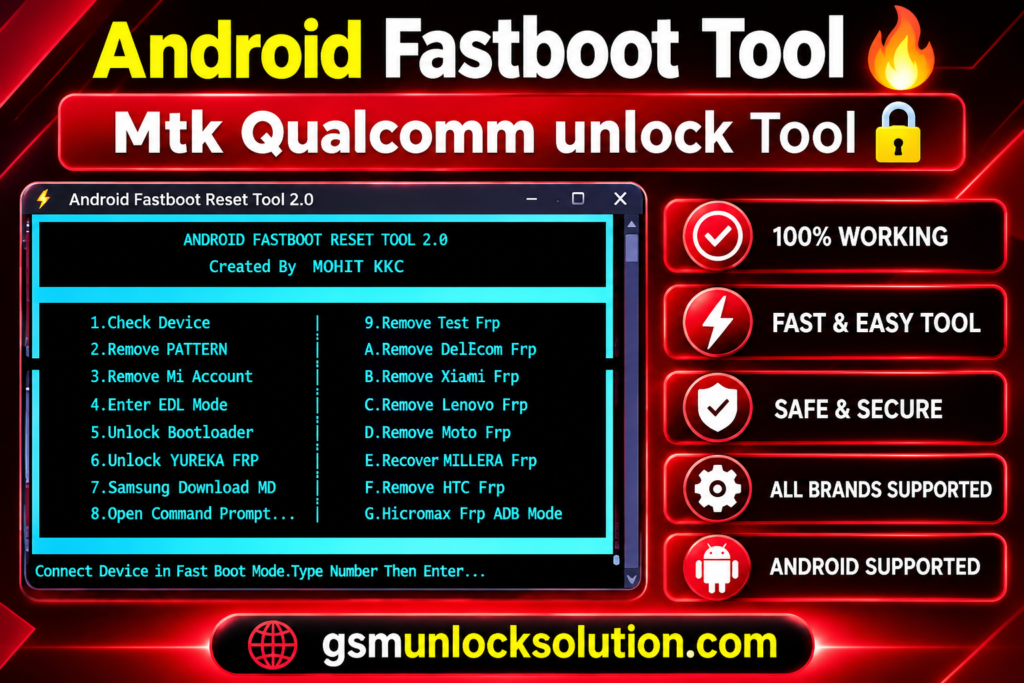
Main Functions of Android Fastboot Reset Tool 2027
Easy-to-Use Interface
The tool comes with a simple interface that makes it easy to find and use different functions without complicated steps.
Multiple Chipset Support
It supports MediaTek, Qualcomm, and SPD (Spreadtrum) chipsets, allowing technicians to work with different Android devices.
Fastboot Device Detection
You can check whether your phone is properly connected in Fastboot mode before starting any servicing operation.
Screen Lock Reset
It provides options for resetting supported PIN, password, face, and pattern locks on compatible devices.
Gmail Reset
The tool includes Gmail reset options for supported devices, helping technicians handle certain Google account-related servicing tasks.
Factory Reset and Data Wipe
You can use its wipe functions to perform supported factory resets and clear device data or cache when required.
FRP Removal Support
It offers FRP-related functions for selected devices, including supported Xiaomi, Lenovo, Motorola, HTC, and Micromax models.
Mi Account Removal
The software includes Mi Account-related servicing options for compatible Xiaomi devices, depending on the device and security version.
Bootloader Unlocking
It provides bootloader-related functions for supported devices, including specific Motorola and Yureka models.
Reboot and Fastboot Exit
Users can reboot connected devices or exit Fastboot mode without manually entering separate commands.
EDL and Download Mode
The tool includes options related to Qualcomm EDL mode and Samsung Download Mode for supported servicing operations.
Device Information
You can check available device status and hardware information to identify the connected phone before performing any operation.
Command Prompt Access
It also provides direct access to Command Prompt, allowing technicians to perform additional manual commands when needed.
Pros and Cons
Pros
- Simple and easy-to-use interface.
- Supports Qualcomm, MediaTek, and SPD chipsets.
- Includes multiple Android servicing functions.
- Provides Fastboot device detection.
- Offers reboot and factory reset options.
- Lightweight Windows-based utility.
- Does not require root access for supported operations.
- Useful for mobile technicians and repair professionals.
Cons
- Supports only compatible Android devices.
- Some features may not work on newer security patches.
- Requires proper USB drivers for device detection.
- Limited support for certain mobile brands and models.
- Incorrect operations may cause data loss.
- Some functions require technical knowledge.
- Downloading from unofficial sources may involve security risks.
Download Information
| Details | Information |
| Tool Name | Android Fastboot Reset Tool |
| File Version | V2.4.1 |
| File Size | 4.57 MB |
| File Password | 123 |
Looking for another useful tool: King Soft Team Tool V6 Free Download for Windows (2027)
How to Download & Install Android Fastboot Reset Tool?
- Download Android Fastboot Reset Tool from a trusted website.
- Extract the downloaded ZIP or RAR file using WinRAR or 7-Zip.
- Open the extracted folder and run the tool executable file.
- Install the required Android USB and Fastboot drivers on your PC.
- Boot your Android device into Fastboot Mode.
- Connect your phone to the computer using a USB cable.
- Type 1 and press Enter to check device connectivity.
- Select your desired operation by entering the corresponding number or letter.
- Wait for the process to complete, then restart your device.
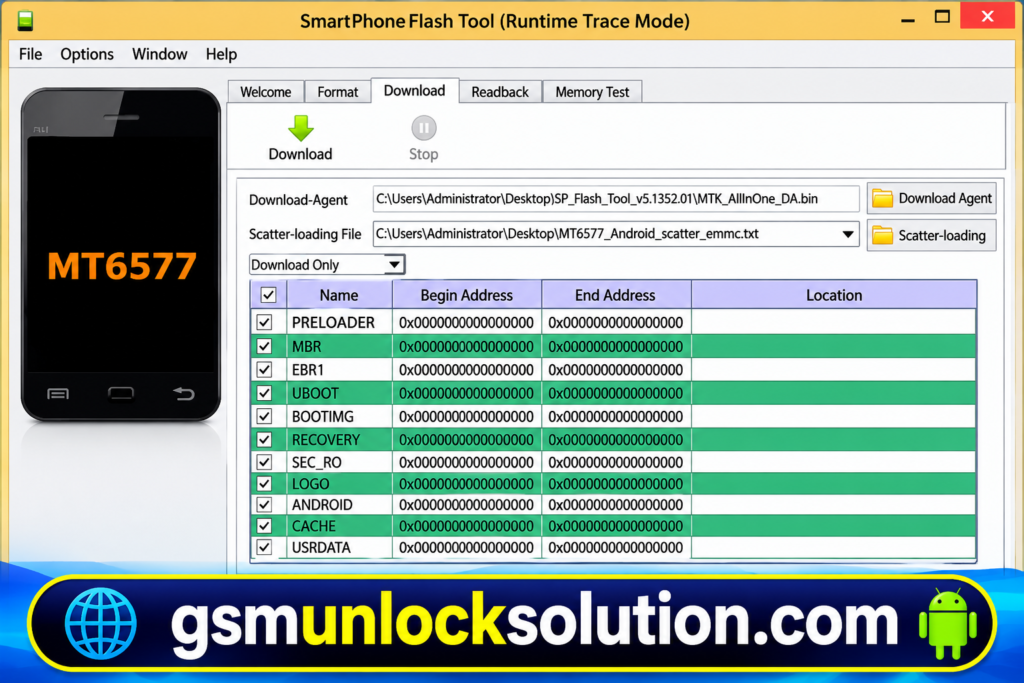
Conclusion
Android Fastboot Reset Tool is a useful Windows utility for users and mobile technicians who need a simple solution for Android device maintenance. With support for Qualcomm, MediaTek, and SPD chipsets, it offers helpful functions such as device detection, screen lock reset, data wiping, reboot, and other Fastboot-related operations. Its lightweight size and easy-to-use interface make it convenient for basic servicing tasks. However, always check device compatibility and use the correct options to avoid unwanted data loss.
FAQ’s
Can Android Fastboot Reset Tool work on Android 13 and Android 14?
Compatibility depends on the device model, bootloader status, and Android security patch. Some newer devices may not support all available functions.
Does Android Fastboot Reset Tool require an internet connection?
Most basic Fastboot operations can work offline once the tool and required drivers are installed. However, certain device-specific functions may require an internet connection.
Why is my phone not detected by the Android Fastboot Reset Tool?
This issue can occur due to missing USB drivers, a faulty USB cable, incorrect Fastboot mode, or an unstable USB connection. Try reinstalling the drivers and using another USB port.
Is Android Fastboot Reset Tool compatible with 64-bit Windows?
Yes, it is designed for Windows computers. Compatibility with a particular Windows version depends on the tool build and its required drivers.
Can I use the Android Fastboot Reset Tool without unlocking the bootloader?
Some basic device detection and reboot functions may work with a locked bootloader, but advanced operations can require an unlocked bootloader or specific device permissions.




One Comment